# Getting started
> **Section:** [Start](https://transcodeworks.github.io/start.md)
> **Related:** [What stillsmith is](https://transcodeworks.github.io/start/what-stillsmith-is.md)
> **Also:** [HTML version](https://transcodeworks.github.io/start/getting-started) · [Docs index](https://transcodeworks.github.io/llms.txt)
---
stillsmith works with any React app. A Vite project gets its existing config read
and merged — nothing to duplicate. A project without Vite (Next.js, CRA,
plain webpack) gets a config synthesized from its tsconfig paths and PostCSS
setup; see [Next.js & other hosts](../guides/hosts/).
1. **Install.**
```bash
pnpm add -D @stillsmith/capture
npx stillsmith init # writes stillsmith.config.tsx and an example scene
npx stillsmith install # one-time: downloads the Playwright Chromium build
```
`stillsmith install` is a separate step so that adding the package doesn't pull
down 150MB of browser during `pnpm install`.
2. **Declare a scene** next to the component it shoots.
```tsx title="src/components/rock-shelf.scene.tsx"
export default {
render: () => ,
} satisfies Scene;
/** One shot per named export. */
export const Default: Shot = {};
```
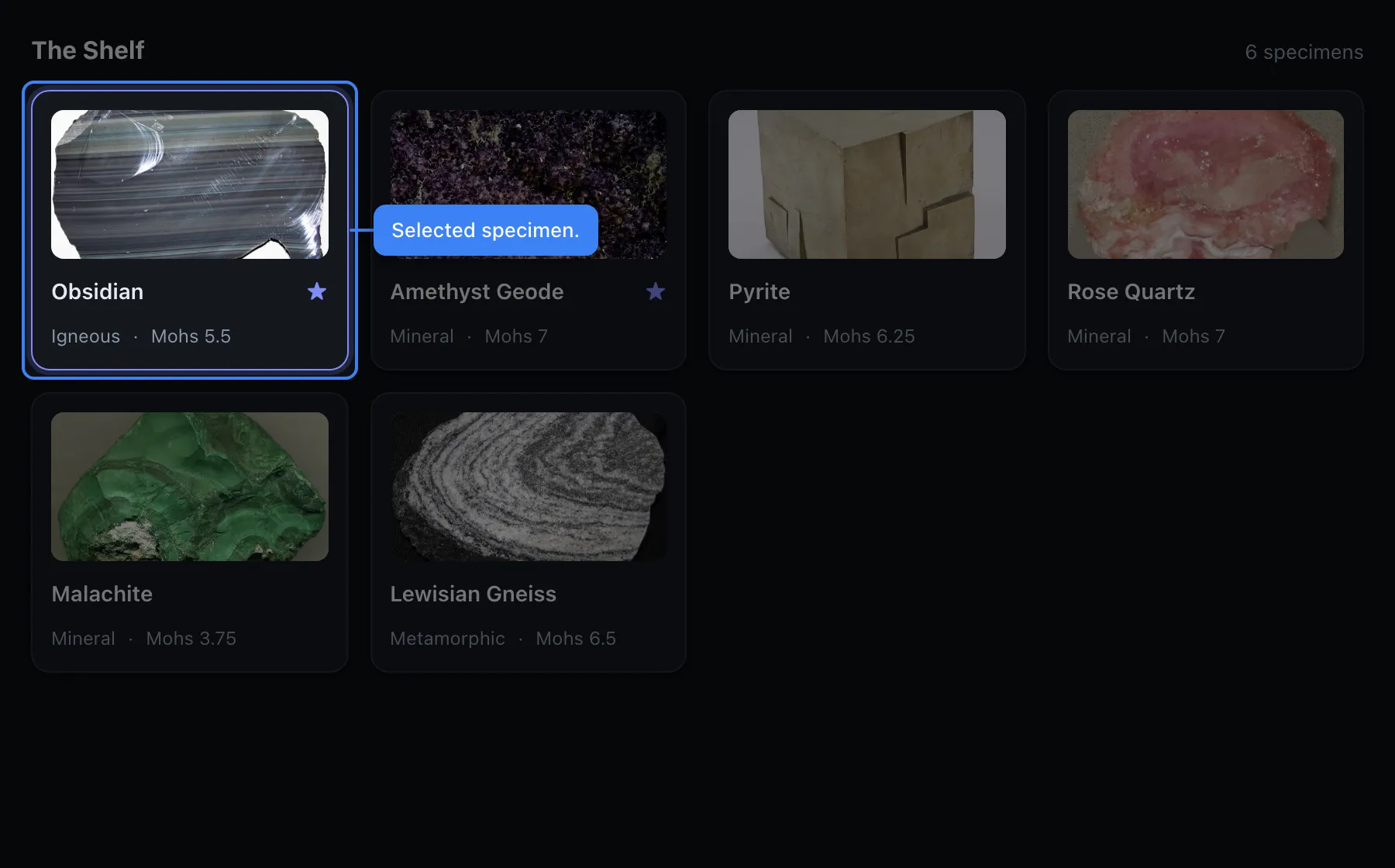
The scene's id comes from the filename (`rock-shelf.scene.tsx` → `rock-shelf`).
A shot's name comes from its export, kebab-cased. A shot called `Default` drops
the suffix, so this one writes `rock-shelf.jpg`, not `rock-shelf-default.jpg`.
3. **See what would be captured**, before anything is written.
```bash
npx stillsmith plan
```
```
2 screenshot(s):
[docs] rock-shelf/default 1280×800@2x dark
→ docs/public/images/rock-shelf.jpg
```
4. **Capture.**
```bash
npx stillsmith capture
```
## What you end up with
- stillsmith.config.tsx the config and your providers, in one file
- src/
- components/
- RockShelf.tsx
- **rock-shelf.scene.tsx** the scene, next to the thing it shoots
- data/rocks.ts your fixtures
- docs/public/images/
- rock-shelf.jpg
- manifest.json what was written, machine-readable
Each output directory also gets a `manifest.json` listing every image with its
scene, shot, preset and real pixel dimensions. A docs site can use it to
enumerate screenshots instead of hardcoding filenames, and CI can assert that an
expected image exists rather than shipping a broken `![]() `.
## Determinism
Captures are deterministic. Fonts are awaited before anything is measured,
animations and CSS transitions are frozen, and the text caret is hidden. Running
`stillsmith capture` twice produces byte-identical PNGs.
This matters if a target directory is committed, which docs images usually are: a
non-deterministic capture would dirty your git diff on every run, and people
would stop reading the diff.
## Next
- [Scenes and shots](../guides/scenes/), the authoring model
- [Annotations](../guides/annotations/): callouts, arrows and pins, in code
- [The authoring GUI](../guides/authoring/), for placing them visually
`.
## Determinism
Captures are deterministic. Fonts are awaited before anything is measured,
animations and CSS transitions are frozen, and the text caret is hidden. Running
`stillsmith capture` twice produces byte-identical PNGs.
This matters if a target directory is committed, which docs images usually are: a
non-deterministic capture would dirty your git diff on every run, and people
would stop reading the diff.
## Next
- [Scenes and shots](../guides/scenes/), the authoring model
- [Annotations](../guides/annotations/): callouts, arrows and pins, in code
- [The authoring GUI](../guides/authoring/), for placing them visually