Open with AI
Annotations
Annotations are drawn as a DOM overlay just before the shutter, so they’re baked into the image without an image editor or a second tool to keep in sync.
export const Annotated: Shot = { tags: ["docs"], annotations: [ { kind: "arrow", to: { selector: "[data-shot='polish']" }, from: { vx: 0.12, vy: 0.72 }, color: "warning", curve: true, }, { kind: "callout", target: { selector: "[data-shot='polish']" }, text: "Irreversible.", color: "warning", placement: "left", offset: { dy: 8 }, }, ],};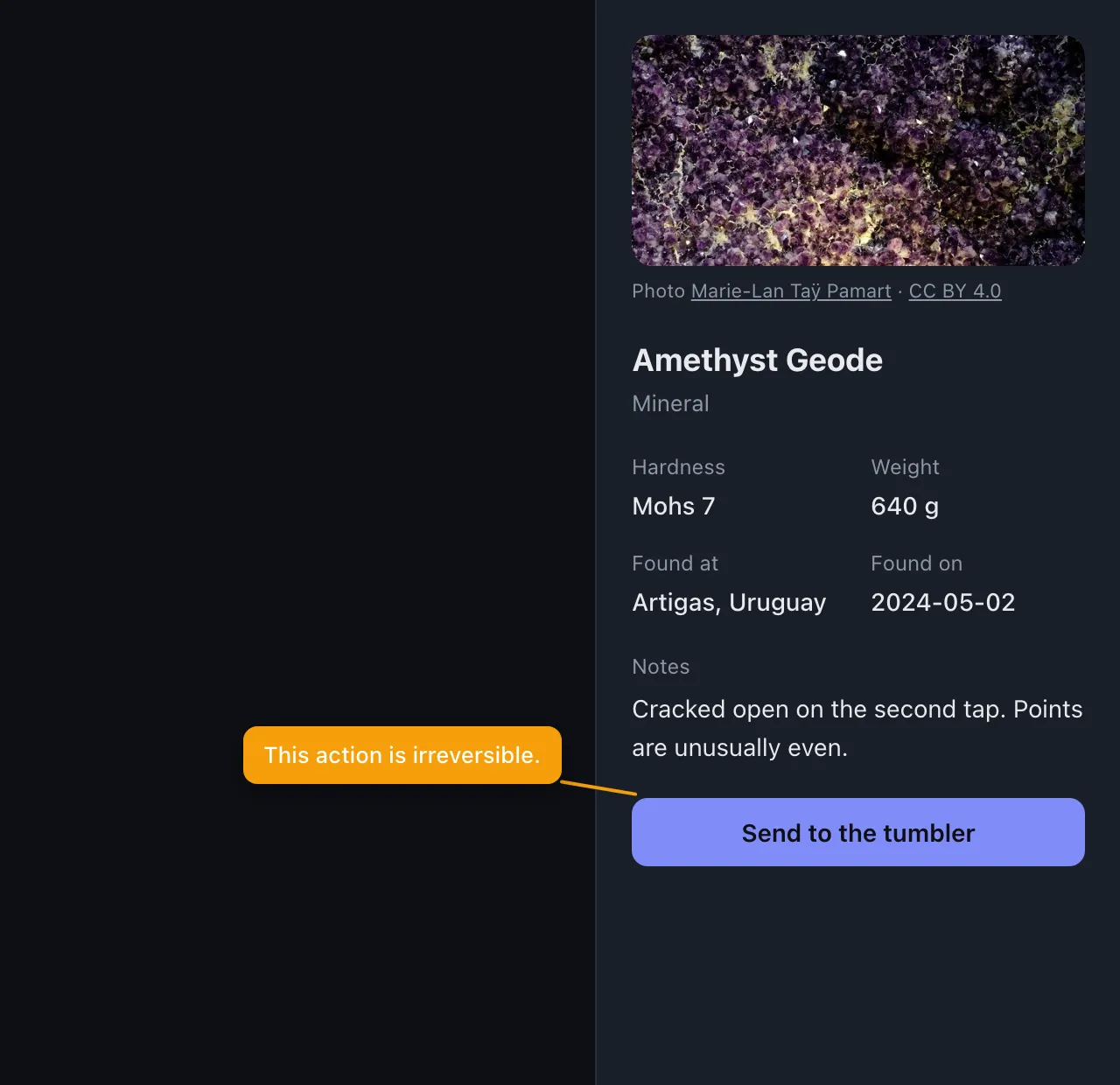
The kinds
Section titled “The kinds”| Kind | What it does |
|---|---|
outline |
A box around the target. dashed, width, radius. |
highlight |
A tinted box. dim: true darkens everything else, producing a spotlight. |
arrow |
Points at a target. curve: true bows it. from sets the tail. |
callout |
A labelled box with a leader line back to its target. |
label |
A numbered pin, for step-by-step tours. |
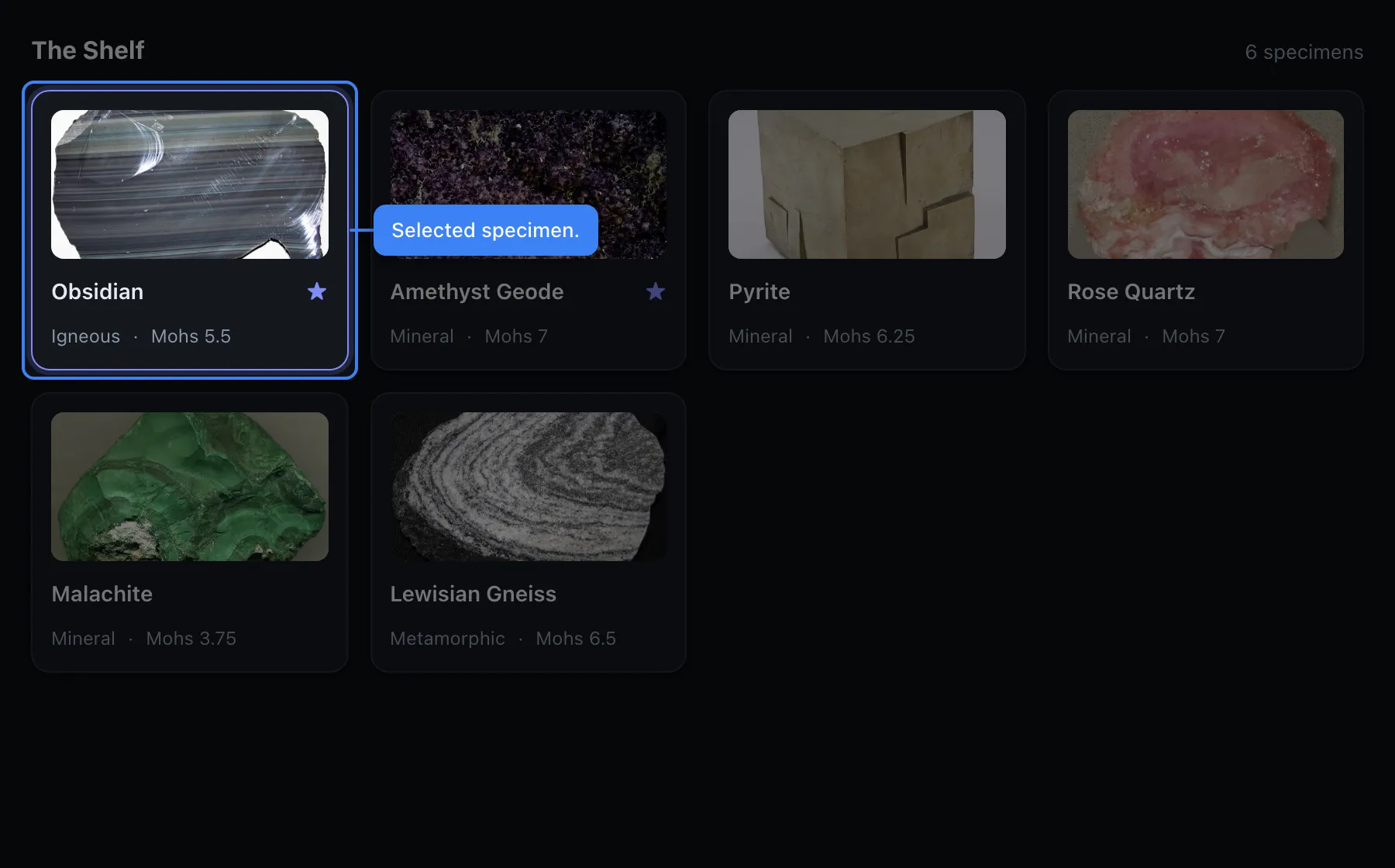
That’s highlight with dim: true, plus a callout.
Targets resolve by selector, not coordinates
Section titled “Targets resolve by selector, not coordinates”This is what makes an annotation survive a redesign.
target: { selector: "[data-shot='inspector']" }Resolution is tried in order: selector, then text, then rect.
{ selector: "[data-shot='card']", nth: 1 } // best: put the hook there yourself{ text: "Send to the tumbler" } // fine, but text changes{ rect: { x: 40, y: 80, w: 200, h: 40 } } // last resort; will not survive a preset changeBecause targets are resolved at capture time against the real DOM, one annotation adapts to every preset. The same callout lands correctly at 1280×800 and at 2560×1440.
Adjusting placement with offset
Section titled “Adjusting placement with offset”Every kind takes offset: { dx, dy }, in CSS pixels.
{ kind: "callout", target: { selector: "[data-shot='inspector']" }, text: "The inspector edits the selected specimen.", placement: "left", offset: { dy: -120 }, // lift it clear of the arrow below}It’s applied last, after placement and after the keep-it-on-screen clamp, so an explicit offset lands exactly where you asked even if that means hanging off the edge.
Each kind moves the sensible thing:
outline,highlight,callout→ the box (a callout’s leader line follows, so a nudged callout still points at its target)label→ the pinarrow→ the arrowhead; the tail stays where you aimed it
You rarely have to guess these numbers: in the authoring GUI
you can drag the annotation and stillsmith writes the resulting offset for you.
Colours
Section titled “Colours”accent (default), danger, success, warning, info, or any raw CSS colour.
Authoring them visually
Section titled “Authoring them visually”The authoring GUI places them visually and writes the TypeScript back into your scene file. The MCP server lets an agent do the same.