Open with AI
Getting started
stillsmith works with any React app. A Vite project gets its existing config read and merged — nothing to duplicate. A project without Vite (Next.js, CRA, plain webpack) gets a config synthesized from its tsconfig paths and PostCSS setup; see Next.js & other hosts.
-
Install.
Terminal window pnpm add -D @stillsmith/capturenpx stillsmith init # writes stillsmith.config.tsx and an example scenenpx stillsmith install # one-time: downloads the Playwright Chromium buildstillsmith installis a separate step so that adding the package doesn’t pull down 150MB of browser duringpnpm install. -
Declare a scene next to the component it shoots.
src/components/rock-shelf.scene.tsx import type { Scene, Shot } from "@stillsmith/capture/react";import { RockShelf } from "@/components/RockShelf";import { OBSIDIAN, ROCKS } from "@/data/rocks";export default {render: () => <RockShelf rocks={ROCKS} selectedId={OBSIDIAN.id} />,} satisfies Scene;/** One shot per named export. */export const Default: Shot = {};The scene’s id comes from the filename (
rock-shelf.scene.tsx→rock-shelf). A shot’s name comes from its export, kebab-cased. A shot calledDefaultdrops the suffix, so this one writesrock-shelf.jpg, notrock-shelf-default.jpg. -
See what would be captured, before anything is written.
Terminal window npx stillsmith plan2 screenshot(s):[docs] rock-shelf/default 1280×800@2x dark→ docs/public/images/rock-shelf.jpg -
Capture.
Terminal window npx stillsmith capture
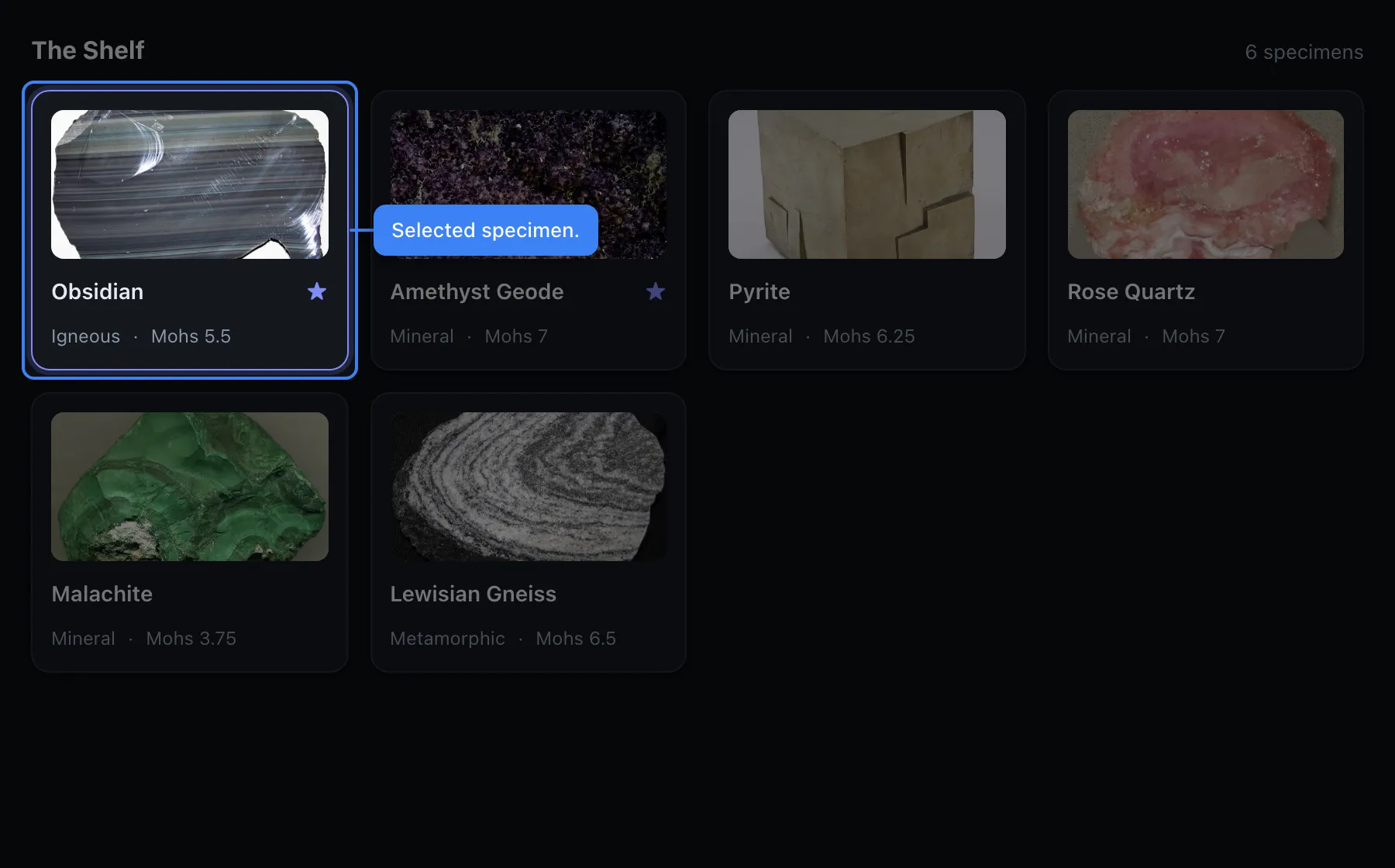
What you end up with
Section titled “What you end up with”- stillsmith.config.tsx the config and your providers, in one file
Directorysrc/
Directorycomponents/
- RockShelf.tsx
- rock-shelf.scene.tsx the scene, next to the thing it shoots
- data/rocks.ts your fixtures
Directorydocs/public/images/
- rock-shelf.jpg
- manifest.json what was written, machine-readable
Each output directory also gets a manifest.json listing every image with its
scene, shot, preset and real pixel dimensions. A docs site can use it to
enumerate screenshots instead of hardcoding filenames, and CI can assert that an
expected image exists rather than shipping a broken <img>.
Determinism
Section titled “Determinism”Captures are deterministic. Fonts are awaited before anything is measured,
animations and CSS transitions are frozen, and the text caret is hidden. Running
stillsmith capture twice produces byte-identical PNGs.
This matters if a target directory is committed, which docs images usually are: a non-deterministic capture would dirty your git diff on every run, and people would stop reading the diff.
- Scenes and shots, the authoring model
- Annotations: callouts, arrows and pins, in code
- The authoring GUI, for placing them visually